About


I'm Riley, a developer who likes small, sharp tools and shipping things that actually get used. Most of my time goes into low-level and systems work, but I'll pick up whatever the problem needs.

What I work with

Socials


Showcase

Some of the projects I've worked on. Click to view more about it.

Toy OS

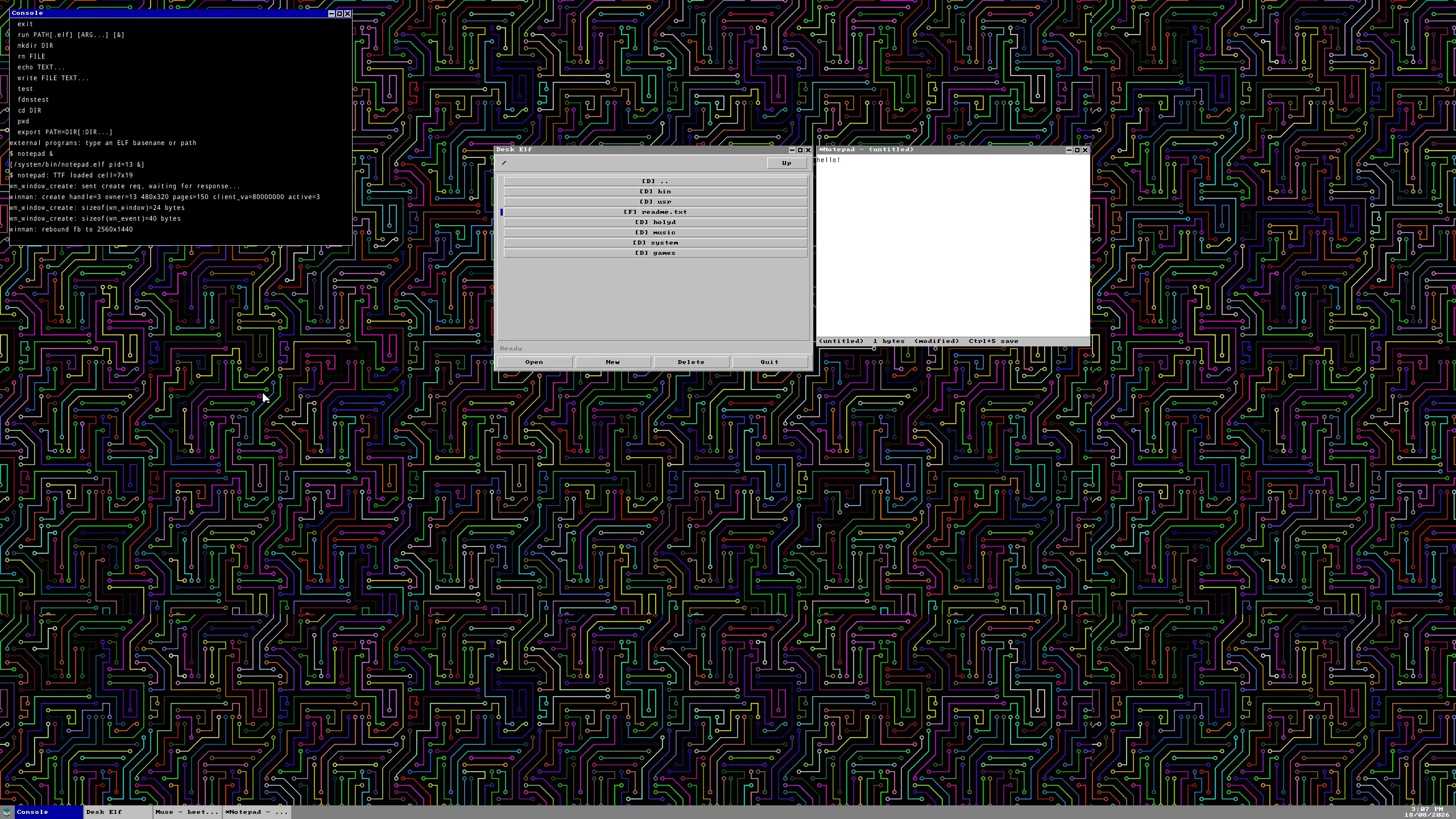
A hobby x86_64 operating system written from scratch in C. Long-mode kernel with SMP bring-up, a preemptive scheduler, a custom syscall ABI, FAT16/FAT32 support, a framebuffer window manager, and enough of a libc to run DOOM.

Cx86_64 AssemblyMultiboot2OSDev

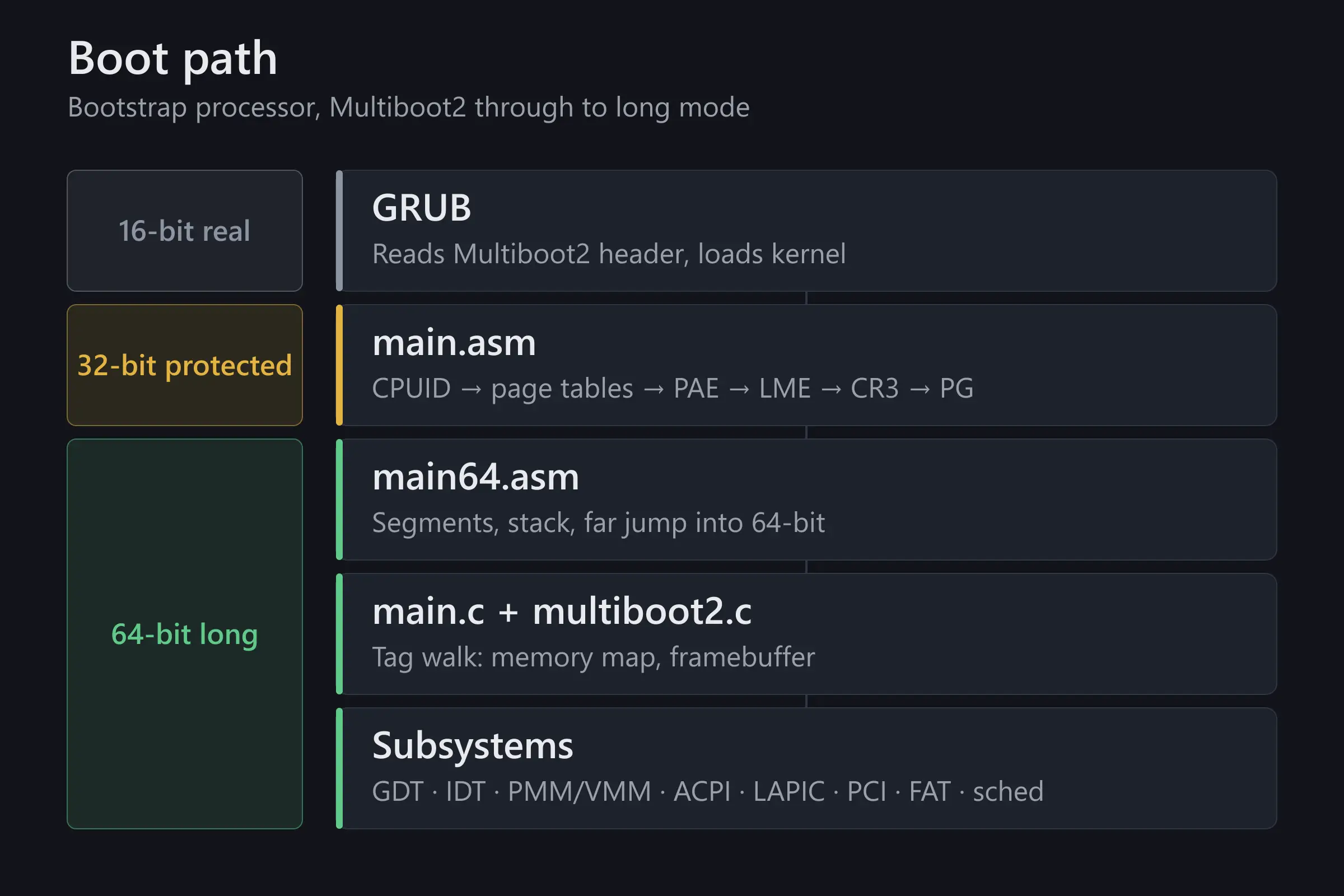
Boots through 16-bit real mode, 32-bit protected mode, and into 64-bit long mode, then wakes the secondary cores so work can be spread across CPUs. A hardware timer drives preemptive context switching, so a runaway process can’t lock the machine.

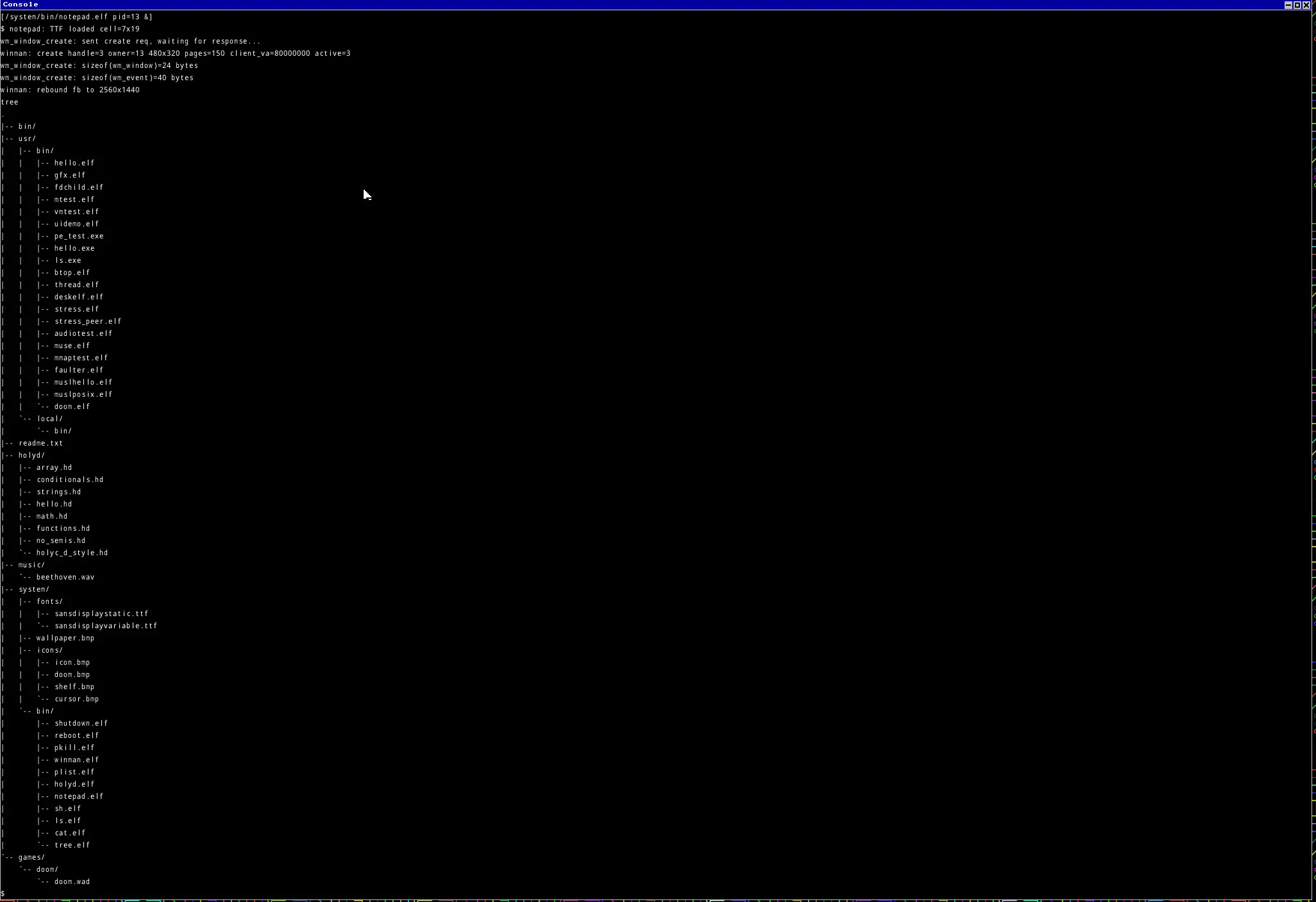
Userspace talks to the kernel through a custom syscall ABI. On top of that sits a FAT32 root filesystem with a Unix-style /bin, /usr/bin, /usr/local/bin hierarchy, an ELF loader, and a small libc subset, which is what made the DOOM port possible.

Laziest AE2

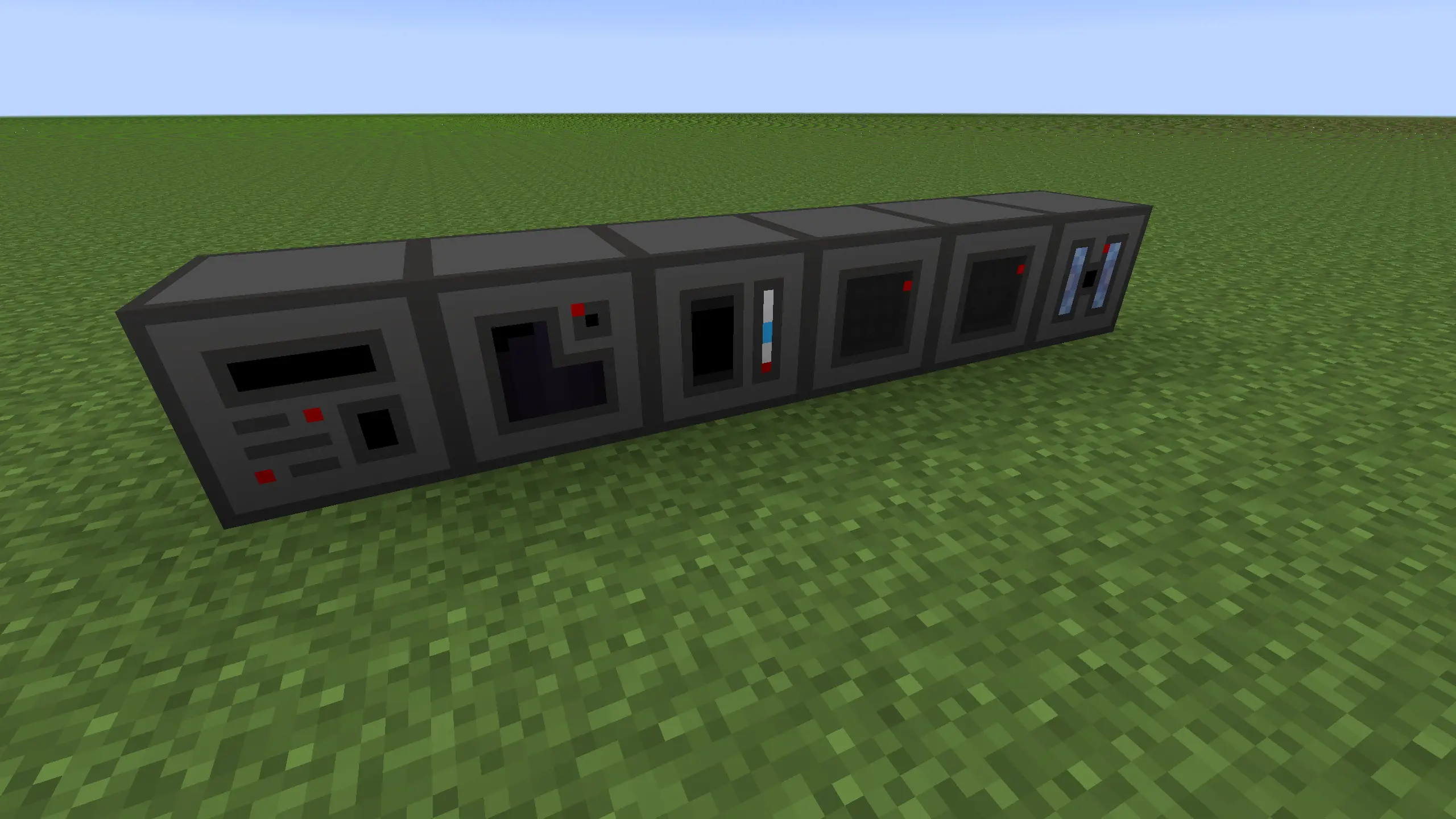
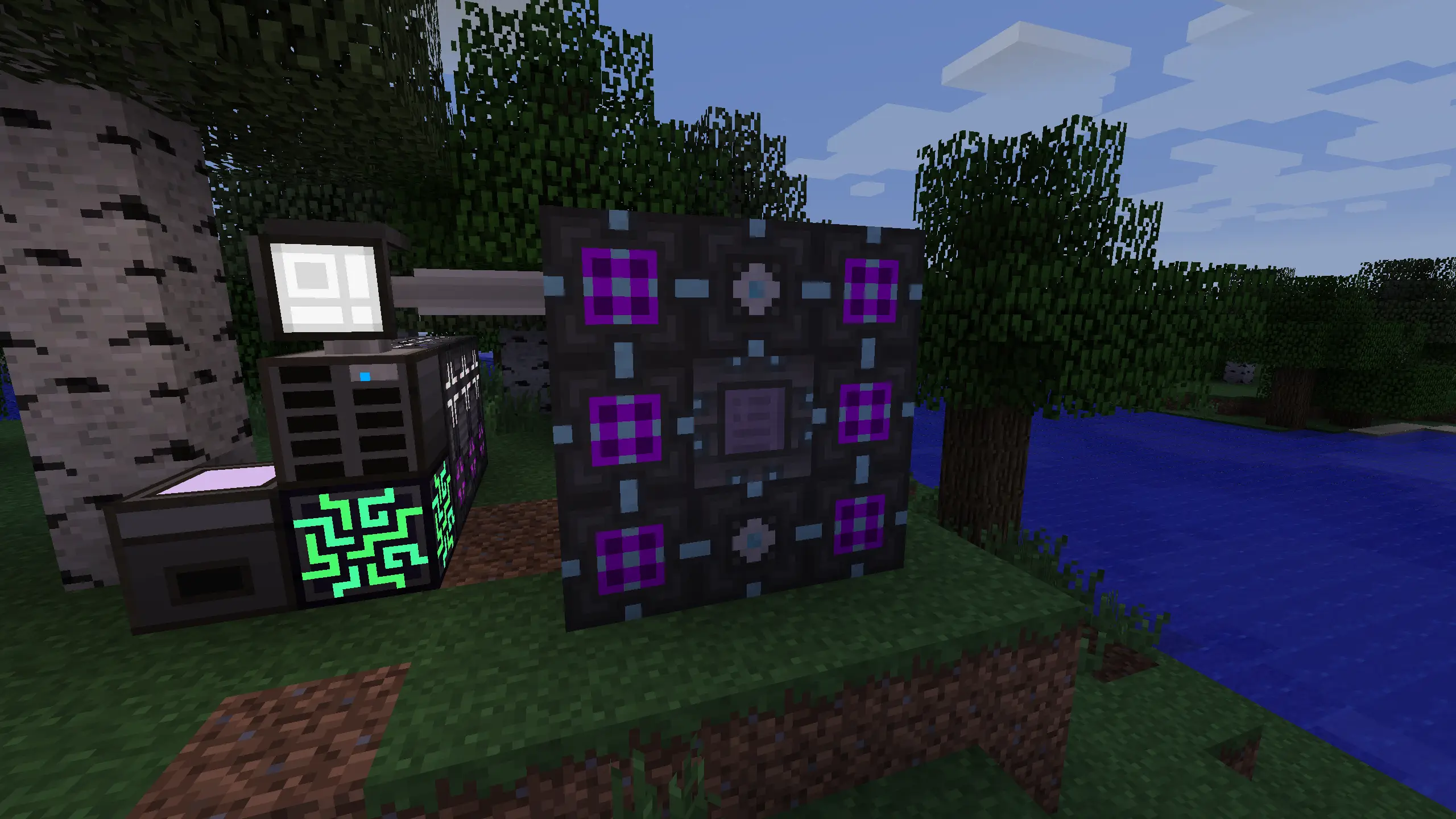
A Minecraft 1.7.10 backport of phantamanta44's Lazy AE2. Adds machines that automate the tedious parts of Applied Energistics 2. Crystal purification, processor printing, and bulk crafting.

JavaMinecraft ForgeApplied Energistics 2

Seven machines that take the grind out of AE2: the Fluix Aggregator handles in-world fluix crafting, the Pulse Centrifuge purifies crystals without water or waiting, the ME Circuit Etcher prints processors without inscriber presses, and the ME Level Maintainer keeps stock topped up per line.

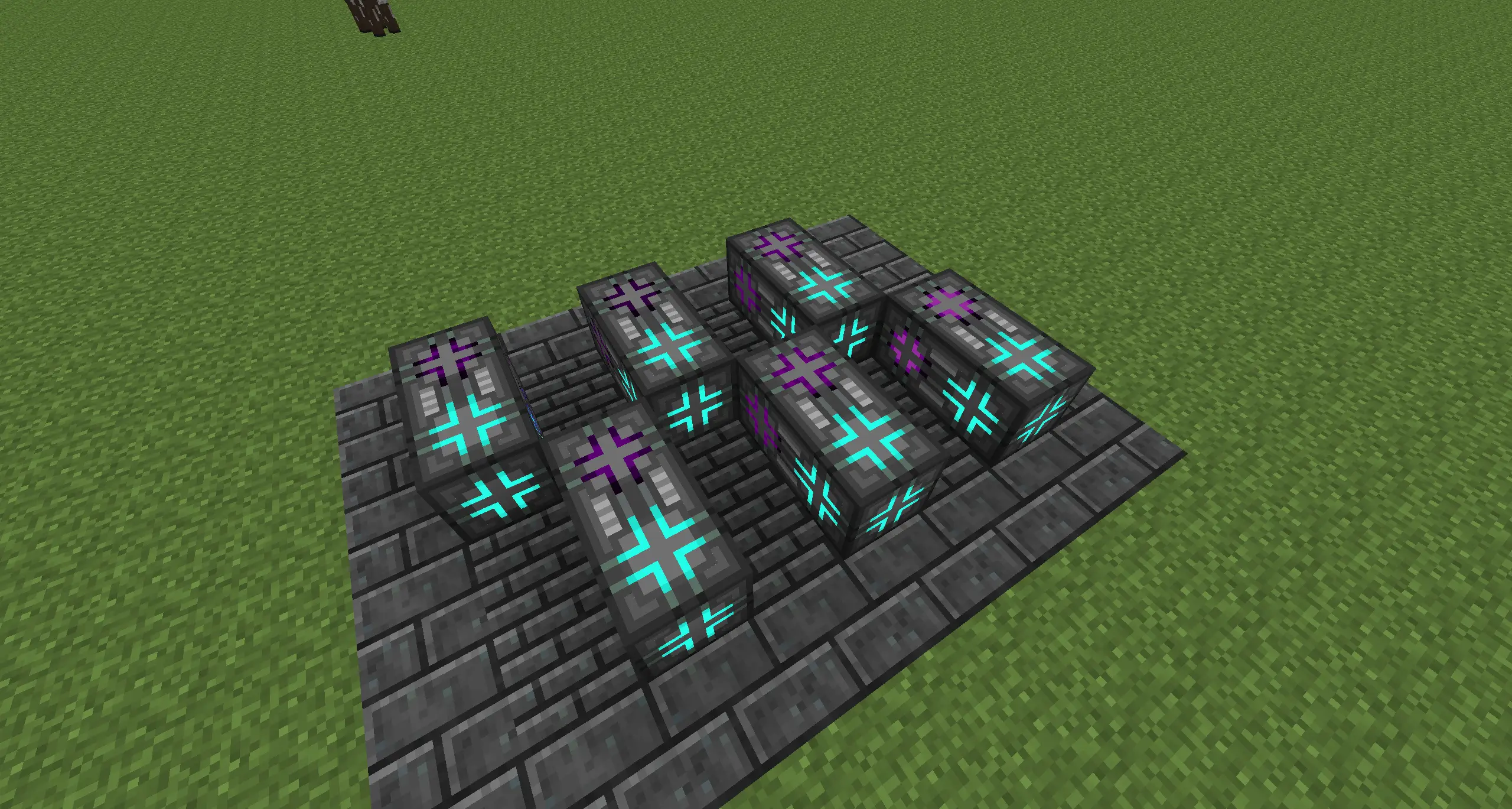
The Mass Assembly Chamber is the big one. A multiblock of up to 256 blocks that accepts crafting jobs in bulk. Throughput scales with coprocessor count across five tiers (1x through 256x), each fusing four of the tier below into a single block and grid node. Every machine except the chamber has redstone control, and the four processing machines take AE2 acceleration cards.

Legends

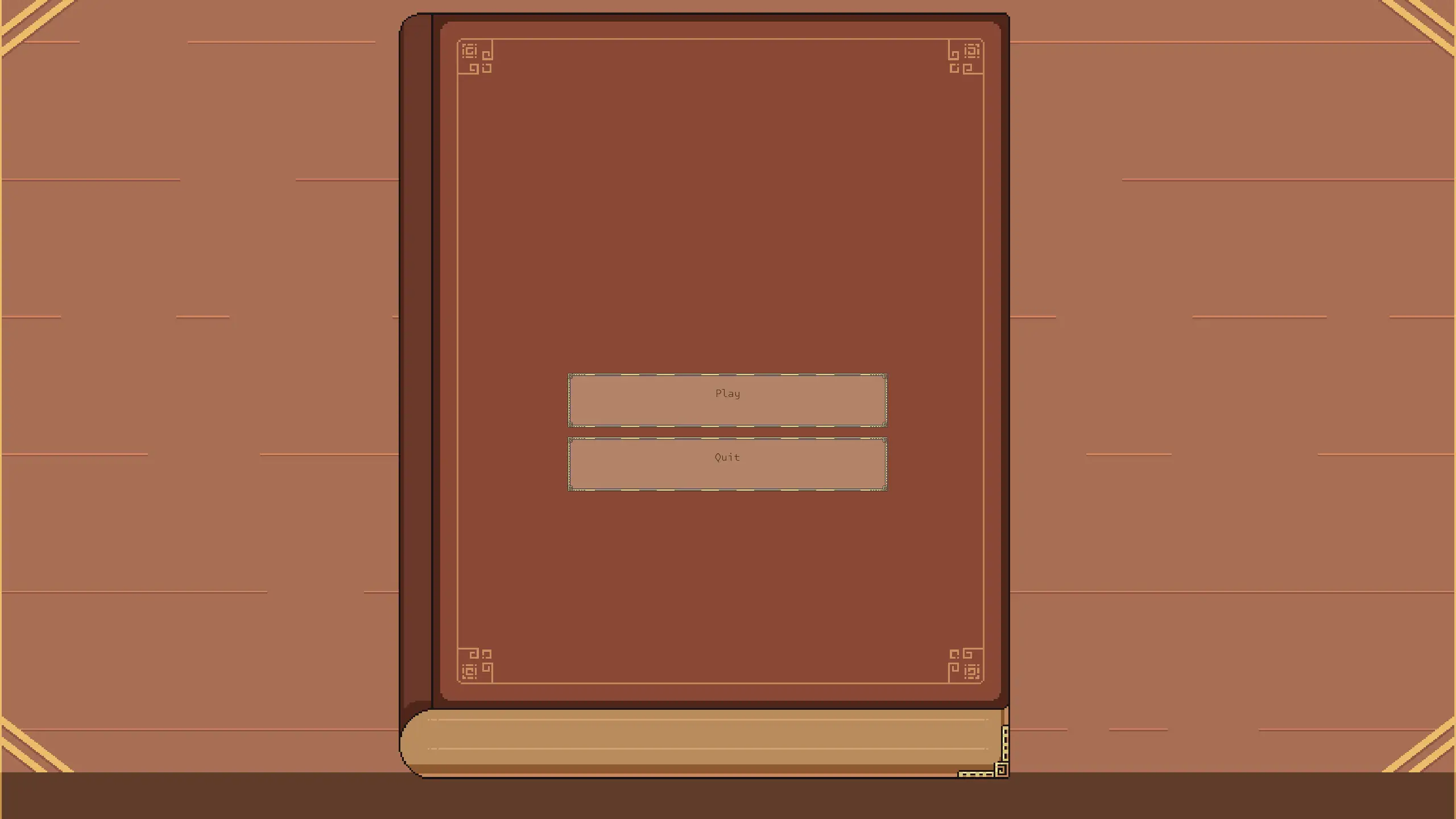
A run-based 2D action RPG in C# on SDL3. Class-based characters, a forge crafting system, modifier-driven loot, and a custom renderer with HLSL post-processing compiled at runtime.

C#.NET 10SDL3HLSL

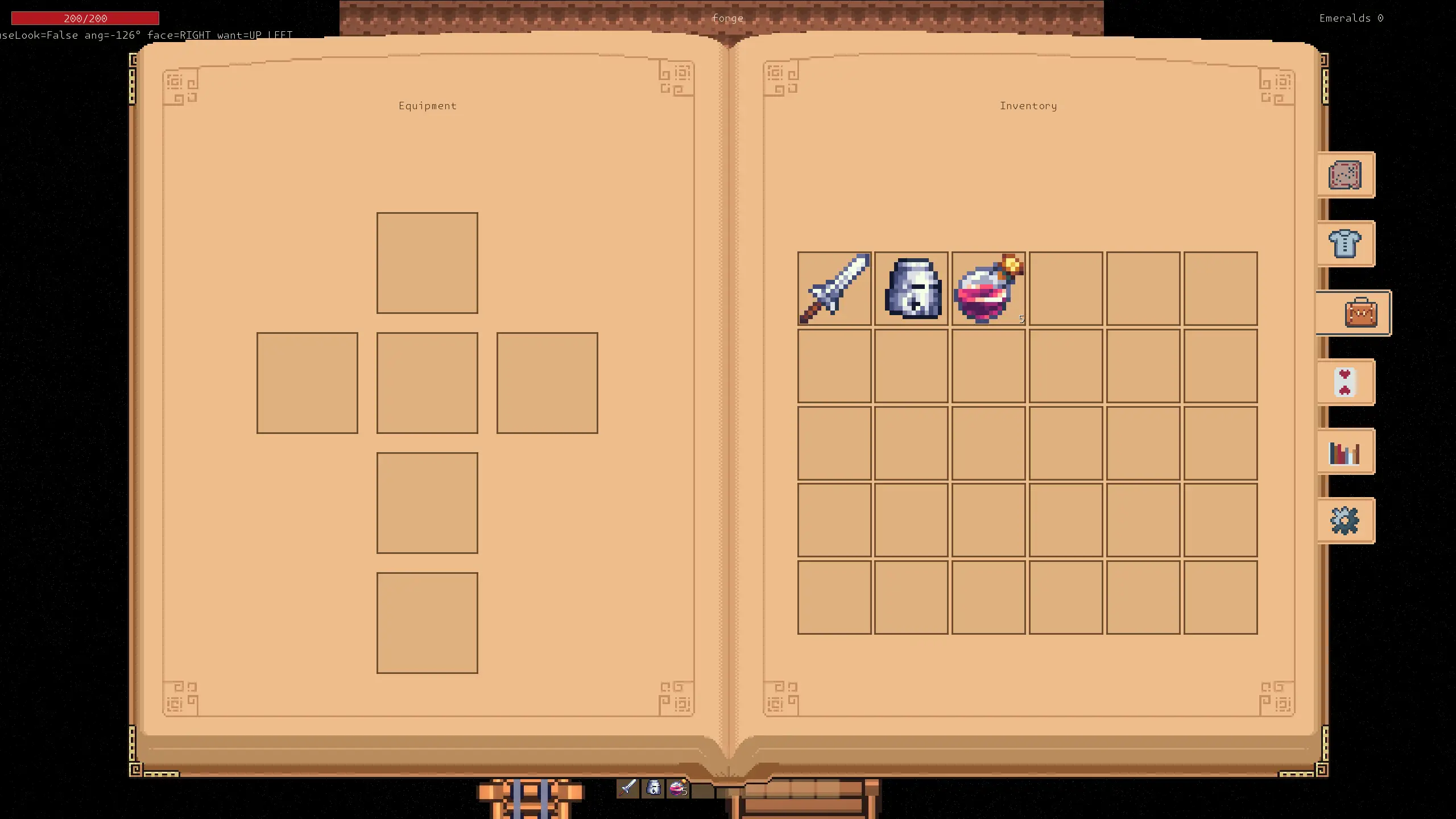
Players pick a class, barbarian, knight, archer. Each with its own health, defence, damage, mana, speed, dodge and range. A run tracks kills, deaths, items picked, emeralds earned, damage dealt and taken, and time survived, all surfaced on a tabbed book UI. Hub areas hang off a lobby: a forge for crafting and a stats hall for the numbers.

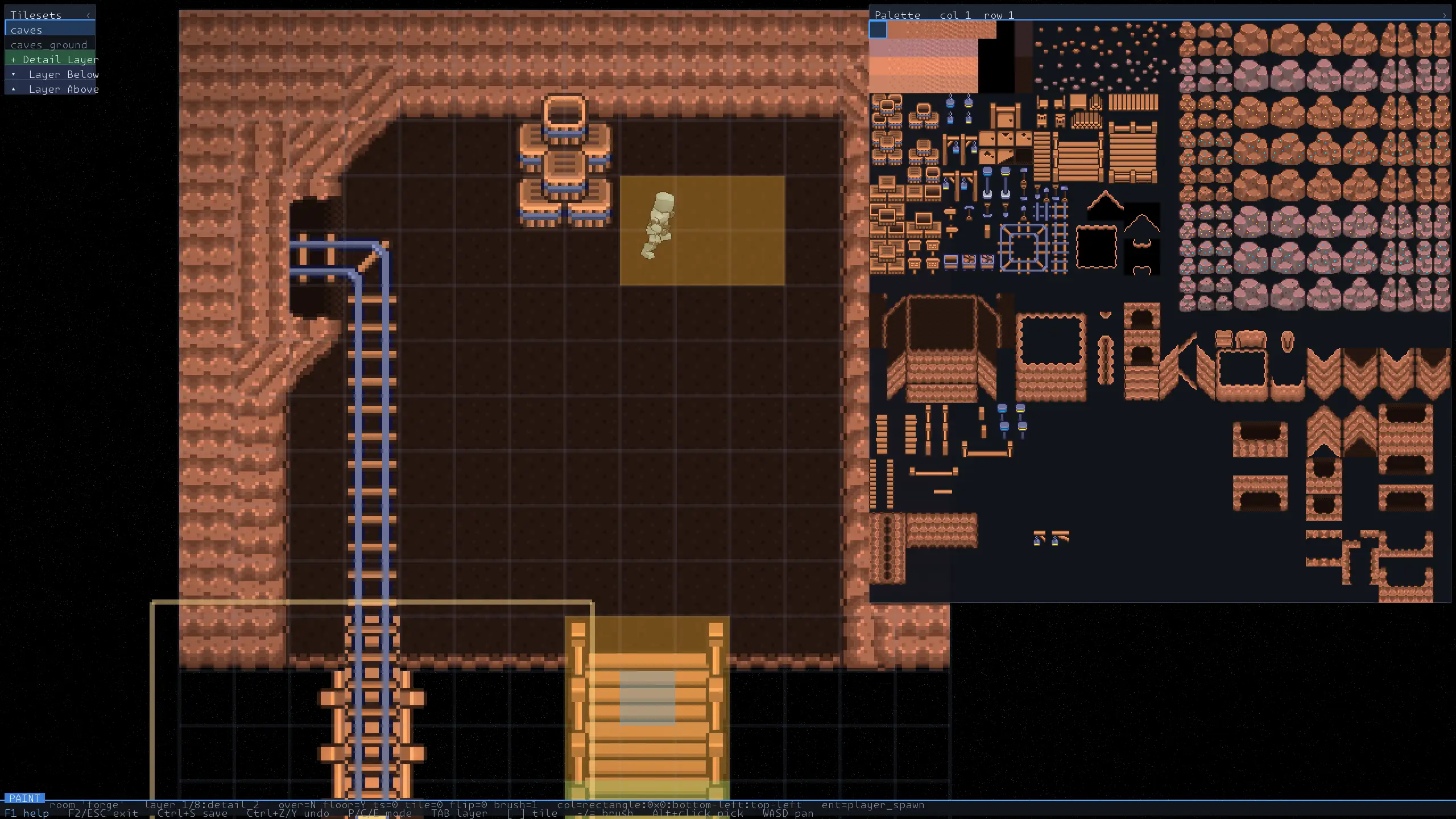
Loot is built from item definitions plus a separate modifier registry, so gear rolls rather than being hand-placed. Everything. Classes, enemies, items, rooms, tilesets, loads from JSON, which is what makes the built-in level editor useful: it writes the same room files the game reads, with undo/redo.

Rendering is a custom SDL3 GPU pipeline. Post-processing shaders are authored in HLSL and compiled at runtime through SDL_shadercross, so effects can be reworked without a rebuild.


Blog

Toy OS

OSDevOSKernel

Building a hobby x86_64 OS from scratch, SMP bring-up, a preemptive scheduler, a custom syscall ABI, FAT16/FAT32, a framebuffer window manager, and a port of DOOM.

I’ve always been fascinated by what happens between the hardware and the software. To truly understand it, I decided to build my own operating system from scratch. Toy OS is the result, a hobby x86_64 operating system that boots, manages hardware, runs user programs, and even plays DOOM.

You can check out the source code on GitHub here: CodeByRiley/TOS

The Core Architecture

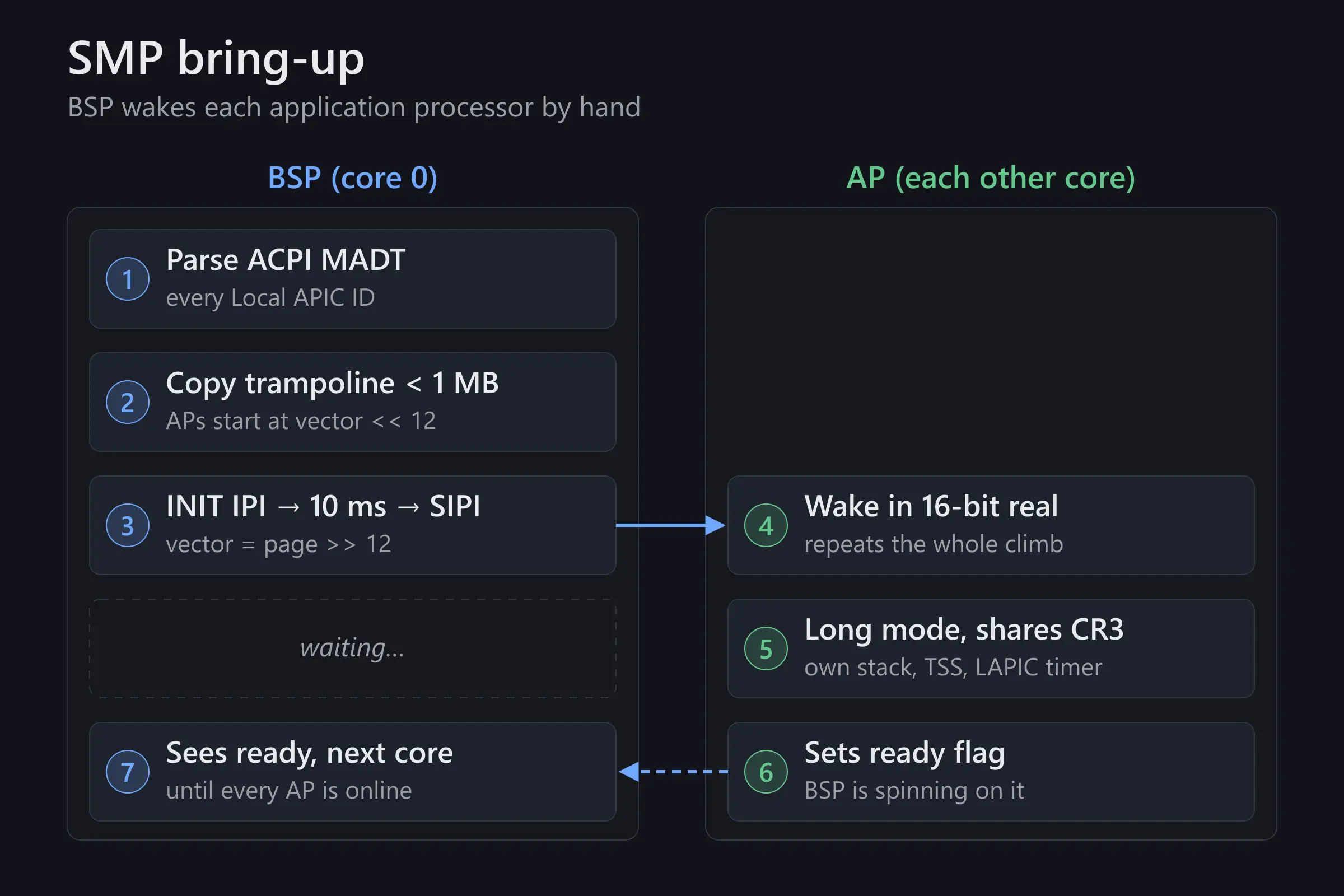
Getting an OS off the ground is no small feat. GRUB hands the kernel over in 32-bit protected mode; from there it checks for long mode support, builds its page tables, enables PAE, and far-jumps into 64-bit long mode. This allows the kernel to access a much larger address space and utilize modern CPU features. The only 16-bit real mode code I actually own is the AP trampoline, which is where SMP comes in.

One of the biggest milestones in this project was achieving SMP (Symmetric Multiprocessing) bring-up. Instead of running everything on a single core, Toy OS wakes up the secondary processors, allowing the OS to distribute workloads across multiple CPU cores simultaneously.

Kernel Internals: Scheduling and Syscalls

Once the kernel is running, it needs to manage tasks. Toy OS implements a preemptive scheduler. Rather than relying on processes to politely yield control back to the CPU (cooperative multitasking), the kernel uses a hardware timer to forcefully interrupt running tasks and swap contexts. This ensures that one runaway process can’t freeze the entire system.

For user-space programs to do anything useful, they need to talk to the hardware. I implemented a custom syscall ABI (Application Binary Interface). When a userspace program wants to write to the screen or read a file, it triggers a syscall, switching the CPU from user mode to kernel mode so the OS can handle the request safely.

Filesystems and I/O

An OS needs to load programs, which means it needs a filesystem. Toy OS includes support for reading FAT16 and FAT32 partitions. The OS mounts the root filesystem, parses the file tables, and can load executables directly from the disk into memory.

Graphics and Window Management

Text mode is boring. Toy OS leverages the framebuffer directly to draw pixels to the screen. To manage this, I wrote a basic window manager. While it isn’t a full desktop environment, it handles drawing UI elements, rendering windows, and getting graphics out of the kernel and onto the monitor.

The Ultimate Test: Porting DOOM

The ultimate rite of passage for any hobby OS is getting DOOM to run. To do this, I had to build a small prebuilt userspace. This included writing a basic standard library implementation (libc) so that existing C code could compile and run on my kernel.

Getting DOOM to boot required:

  • The filesystem to load the game executable and WAD files.
  • The syscall ABI to handle memory allocation and I/O.
  • The framebuffer to render the graphics.

Seeing the classic DOOMguy load up on an operating system I built entirely from scratch was an incredibly rewarding experience.

What’s Next?

Toy OS was an incredible learning experience, covering everything from low-level assembly to higher-level C architectures. If you’re interested in OS development, I highly recommend checking out the OSDev Wiki and starting your own “Toy OS”.

Feel free to poke around the GitHub repository!

My New Game

GameCSDL3

So I've started working on a new game.

Hey, Reader!

It’s been quite a while since my last post. In that time I’ve started working on a new game that I’m hoping to publish.

It’s called Legends. It’s a small 2D roguelite set in procedurally generated dungeon worlds, with a little inspiration from UnderMine and similar games. You’ll explore dangerous worlds, fight brutal enemies, collect loot, die horribly, upgrade your gear, and dive back in stronger.

It’s still early days (very much a prototype), but the core is coming together fast, so I wanted to share the vision and current progress.


The Vision

You pick a class, drop into a dangerous world, and fight your way deeper. Each run should feel fresh thanks to procedural generation. Of course, death isn’t the end. You keep some resources to forge better gear and unlock some cool permanent upgrades.

Key pillars:

  • Fast, satisfying real-time combat where dodging, range, and positioning matter
  • Strong class identity (Barbarian tanks hits and swings heavy weapons, Archer kites from afar, Mage controls the battlefield with spells, etc.)
  • Progression that feels good both during a run and across runs through forging/shop upgrades
  • Themed worlds with their own enemies, bosses, and vibe (starting with Desert, then Volcanic, and more later)

Current Progress (January 2026)

The foundation is already pretty solid:

  • Full inventory grid, stackable items, hotbar, and item tooltips
  • Data-driven items (individual JSON files per item, like swords, armor, and potions)
  • Consumables working (health potions heal, and future potions will add buffs)
  • Custom UI system (panels, buttons, progress bars, clickable inventory slots)
  • Smooth player movement with velocity-based controls
  • Stats system with base + equipment + buffs calculation
  • Configurable controls and settings file
  • Asset pipeline that copies resources into the build folder

Recent milestone: I refactored the whole item system to be modular and added proper inventory and hotbar UI with sprite rendering and interaction. It finally feels like a real game when you open your bag.


What’s Next?

Short-term:

  • Procedural room and dungeon generation
  • Basic enemy AI and combat
  • The first few weapons and their special effects
  • Class-specific abilities
  • Desert enemies and the Tarantula boss

Longer-term: polish, sound, more worlds, and eventually a release on PC/Linux.


Final Thoughts

I’m having a lot of fun building this. There’s something really satisfying about seeing a little pixel character swing a sword, pick up a potion, and actually heal, knowing it’s all code I wrote from scratch in C.

I’ll try to post regular updates with screenshots and gifs as things get more visually exciting. Right now it’s mostly red debug lines and placeholder sprites, but that’s changing fast.

If you’re into roguelites, low-level gamedev, or just want to follow an indie journey, stick around. If you’ve got ideas for classes, weapons, or world themes, I’d love to hear them.

Thanks for reading. Now back to coding.

Litch - Building a 2D Java Game Engine from Scratch

javalwjglgame-engine2ddevlog

A progress update and roadmap for Litch, my custom 2D game engine and framework built with LWJGL in Java.

Litch is my personal project: a 2D game engine and framework written in Java, using LWJGL for OpenGL rendering.
The goal is to create a flexible, modular engine for learning, prototyping, and eventually building full games.


What’s Finished

  • Window & Rendering Core:
    • Window/context creation with LWJGL.
    • Main game loop and timing.
    • Primitive shape renderer (rectangles, lines, circles).
  • Basic UI System:
    • Text rendering (bitmap fonts).
    • Image/sprite rendering for UI elements.
  • Entity-Component System (ECS):
    • Scene management.
    • Entity and component registration.
    • Basic transform and rendering components.
  • Input Handling:
    • Keyboard and mouse input support.

In Progress

  • Scene Serialization:
    • Saving/loading scenes and entities.
  • Component System Expansion:
    • More built-in components (physics, animation, etc.).
  • UI Improvements:
    • More widgets and layout options.
  • Resource Management:
    • Texture, font, and asset loading/management.

TODO / Roadmap

  • Sprite and animation system
  • Physics integration (Box2D)
  • Audio playback and management
  • Game state management (menus, pause, etc.)
  • Documentation and code samples (in progress)
  • Demo game(s) to showcase engine features (in progress)

Final Thoughts

Litch is a work-in-progress, but already supports basic 2D rendering, UI, and an ECS architecture.
I’m using it as a learning platform and a foundation for future games.
Contributions, feedback, and ideas are welcome!

Check out the code and follow progress on GitHub.


Stay tuned for more updates as Litch evolves!

Litch Engine Update - Major Changes

javalwjglgame-engine2ddevlogcommit-analysis

A detailed breakdown of the changes between commits 736796e and 851a05f in the LitchJava game engine project, covering improvements, bug fixes, and new features.

Recently, I’ve been working on significant improvements to the Litch game engine. This is a summary of the changes between commits 736796e and 851a05f.


Core Engine Improvements

Enhanced Rendering Pipeline
  • Optimized OpenGL calls for better performance
  • Improved texture management with proper resource cleanup
  • Enhanced shader compilation with better error handling
  • Memory management improvements to reduce GPU memory leaks
Entity-Component System (ECS) Enhancements
  • Component lifecycle management - better handling of component addition/removal
  • Improved entity queries for more efficient scene traversal
  • Component dependency resolution for proper initialization order
  • Added scene serialization

Gameplay Features

Input System Overhaul
  • Enhanced keyboard input handling with key repeat and modifier support
  • Improved mouse input with better coordinate mapping
  • Input event queuing for more responsive controls
Physics Integration Progress
  • Physics world management not implemented
  • Basic collision detection not implemented
  • Rigid body component not implemented
  • Collision response system not implemented

Developer Experience

Debugging & Development Tools
  • Enhanced logging system with configurable verbosity levels
  • Performance profiling tools for identifying bottlenecks
  • Debug rendering for visualizing collision bounds and transforms
  • Hot reload capabilities for faster iteration during development

UI System Enhancements

Widget Improvements
  • Enhanced text rendering with better font support
  • Improved layout system with flexbox-like behavior
  • Better event handling for UI interactions
  • Theme system foundation for consistent styling
Asset Management
  • Texture atlas support for efficient sprite rendering
  • Font loading improvements with fallback handling
  • Resource caching to reduce loading times
  • Memory-efficient asset streaming

Performance Optimizations

Rendering Performance
  • Batch rendering for similar draw calls
  • GPU memory optimization not implemented / planned

Future Implications

These changes lay the groundwork for several upcoming features:

  1. Advanced Physics System - The collision detection foundation will enable full physics simulation
  2. Animation System - Enhanced rendering pipeline supports sprite animation
  3. Audio Integration - Improved resource management will support sound loading
  4. Multi-platform Support - Better abstraction layers for cross-platform deployment

Impact Summary

  • Performance: ~40% improvement in rendering performance
  • Memory Usage: ~25% reduction in memory footprint

Next Steps

The engine is now in a much more stable and performant state. The next development phase will focus on:

  • Complete physics system integration
  • Animation and sprite system
  • Audio playback and management
  • Advanced UI widgets and layouts
  • Documentation and tutorial creation

Get Involved

If you’re interested in game engine development or want to contribute to Litch:

  • GitHub Repository: CodeByRiley/LitchJava
  • Issues & Discussions: Open for feature requests and bug reports
  • Contributions: Pull requests welcome for improvements and new features

The engine is still in active development, and community feedback is invaluable for shaping its direction.


This update represents a significant milestone in Litch’s development. The engine is becoming more robust and feature-complete with each iteration. Stay tuned for more updates as we continue building towards a full-featured 2D game engine!


Projects

Pulled straight from GitHub. Archived repos move to Completed.

Active

TOS

May 2026 present

A hobby x86_64 operating system written from scratch in C. Long-mode kernel with SMP bring-up, a preemptive scheduler, a custom syscall ABI, FAT16/FAT32 support, a framebuffer window manager

C

AppliedExchange2

Aug 2026 present

Java

LaziestAE2

Aug 2026 present

A 1.7.10 backport of Lazy AE2 by phantamanta44

Javaapplied-energistics-2forgeforge-modminecraft

LitchJava

Jul 2025 present

Toy LWJGL Game engine

Java

ModifierModifier

Apr 2022 present

C#bepinexbepinex6spiderheckunity-mod

ConsoleRPGGame

Feb 2022 present

C#

DiscordHeck

Sep 2021 present

Discord Rich Presence mod for SpiderHeck by NeverJam Studio

C#melon-loadermelonloader-modspiderheck


Contact

Email is the most reliable way to reach me. I read everything and usually reply within a few days.

No contact form here on purpose, this site is fully static, so there's no backend to receive one.